
Ever since YouTube made the controversial decision to hide dislike counts from public view, users have been looking for ways to bring back the transparency they once had. Whether you’re a creator analyzing feedback or a viewer gauging public opinion, seeing the number of dislikes can offer valuable insights.
Enter: the youtubedislikeviewer.online —a free online tool that allows you to check dislikes on any YouTube video. In this blog, we’ll walk you through how to use it, step-by-step, with an example for reference.
YouTube Dislike Viewer is a web-based tool that displays dislike statistics for any public YouTube video. It uses historical data and community-generated stats (from browser extensions and APIs) to estimate the dislike count.
Follow these simple steps to check the dislike count of any YouTube video:
Go to YouTube, find the video you want to analyze, and copy its URL from the address bar.
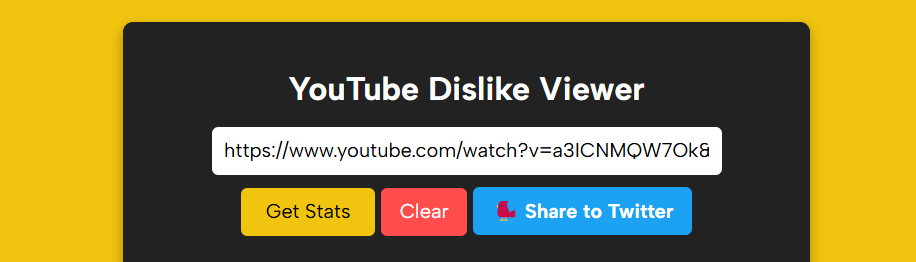
Example:https://www.youtube.com/watch?v=a3ICNMQW7Ok&pp=ygUNZXhhbXBsZSB2aWRlbw%3D%3D
Go to the online tool https://youtubedislikeviewer.online/.
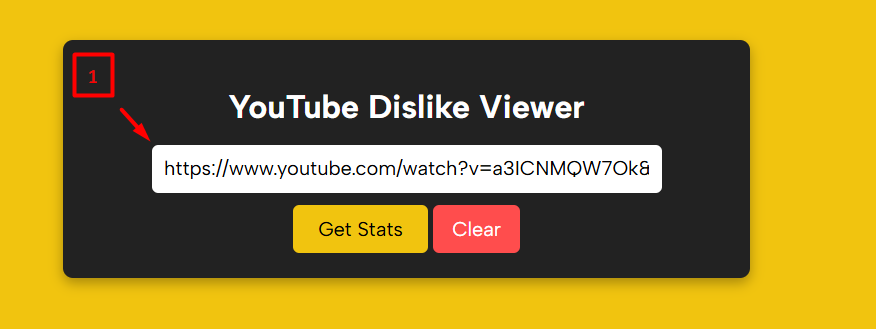
Paste the copied YouTube URL into the input field provided at the top of the tool interface.
🖼️ Refer to Screenshot Below:
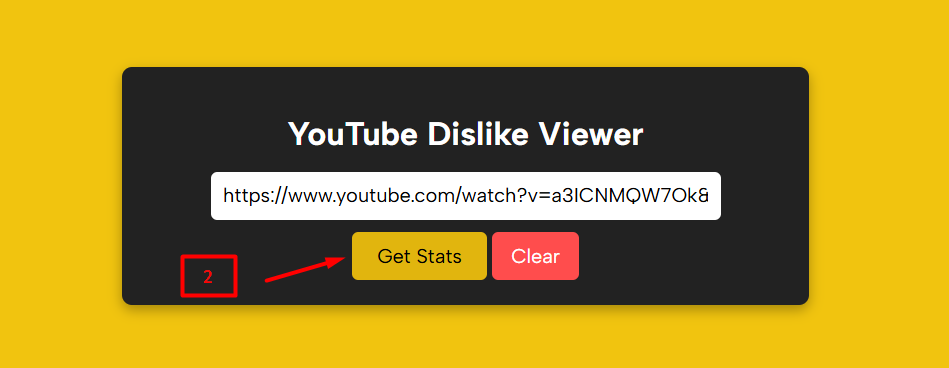
Once the link is in place, click the yellow “Get Stats” button. The tool will retrieve and display the video’s key engagement metrics.
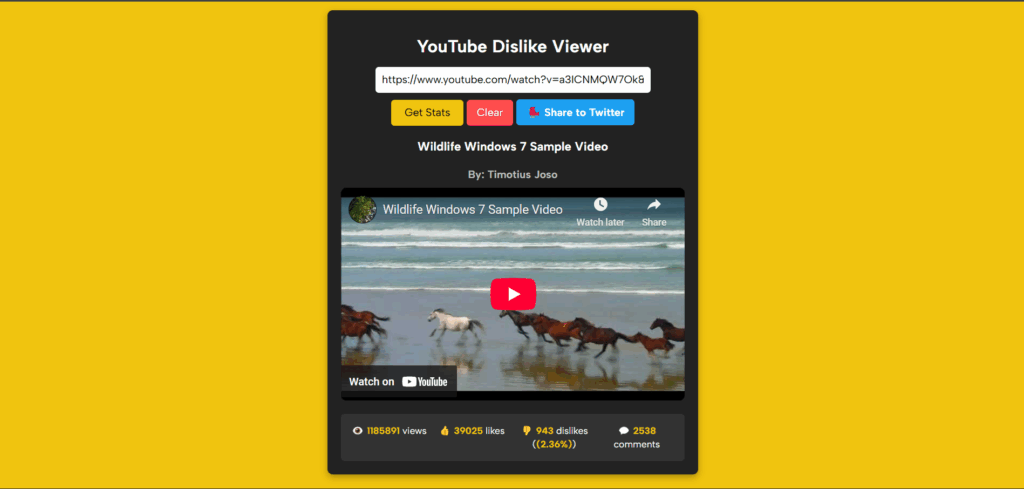
The tool will show you:
This provides a complete snapshot of the video’s reception—something creators and viewers alike appreciate.
Dislike data is estimated and may not be 100% accurate due to limitations in YouTube’s current API and the dependence on third-party data sources.
The YouTube Dislike Viewer is a handy tool for anyone who wants more context before watching or sharing a video. While YouTube may have hidden dislikes from public view, transparency finds its way back thanks to tools like these. In the same way, users often rely on web-based calculators for quick and accurate insights in other areas such as budgeting, financial planning, or project estimation. Websites like onlinerechners.de provide a wide range of calculators that help you analyze numbers just as efficiently as this tool helps you analyze YouTube engagement.
Try it out today and get the full picture behind every play button!
